
WiFi Extender vs Booster: Same Device, Different Label
A WiFi extender and a WiFi booster are the same kind of device, because "booster" is a marketing word. The choice that changes your speed is how the extender talks to your router: over the same radio channel, a second radio, or a cable. Here's how extenders, repeaters and mesh differ.
Key takeaways
- A WiFi booster is an informal marketing term, not an official product category, and most products sold as boosters are extenders; TP-Link and NETGEAR both say so on their own pages.
- A repeater rebroadcasts your signal on the same channel it received it on, and TP-Link says that can cut the available bandwidth roughly in half; NETGEAR says traditional dual-band extenders may reduce it by half.
- An extender does not slow your internet plan, only the WiFi leg from the extender to your device; extenders with a dedicated band for the router connection largely avoid the loss.
- Mesh systems join several nodes into one network with one name, and the Wi-Fi Alliance EasyMesh standard lets those nodes link over WiFi or a wired Ethernet connection.
- For one or two dead zones in a small or medium home an extender is likely all you need; for coverage problems across multiple rooms or floors, TP-Link says a mesh system makes more sense.
A WiFi extender and a WiFi booster are the same kind of device. A booster is a marketing label, and TP-Link, which sells these products, calls it an “informal marketing term, not an official product category.”[1] Both pick up your router's signal and rebroadcast it into a room where it is weak.
The label doesn't matter. What matters is how the extender talks back to your router, because that link decides whether you get a fix or a slower network.
So this piece is really about three words that get used as one: extender, repeater and mesh. Pick between them by asking how many dead zones you have, and whether a cable can reach any of them.
Booster, extender and repeater are one family, and mesh is a different species
NETGEAR, the other big seller, describes “booster” as a broad term covering extenders, repeaters and sometimes mesh systems, and says the first two are “the same” in most consumer cases.[2] The one distinction with real content is the repeater.
TP-Link says a repeater rebroadcasts “on the same channel,” while a better extender uses a dedicated band for the connection back to the router.[1] Mesh is the odd one out: several nodes that “work together as a single unified network.”[1]
| Term | What it is | How it links to your router | Network name |
|---|---|---|---|
| Booster | A marketing label, usually an extender | Depends on the product | Depends on the product |
| Repeater | Rebroadcasts the signal on the same channel | Wireless, same channel | Depends on the product |
| Extender | Picks up the signal and rebroadcasts it into a dead zone | Wireless on a dedicated band, or wired (Ethernet or Powerline) on some models | Often a separate name, such as Home_EXT |
| Mesh | Several nodes acting as one network, replacing your router | Between nodes over WiFi or Ethernet | One name across all nodes |
Heads up
The “separate network name” column deserves a line. NETGEAR says extenders “broadcast on a separate WiFi name,” so devices have to be switched over by hand, while mesh nodes share one name.[3] TP-Link notes that some extenders do broadcast the same name and others create a new one.[1]
I find that detail irritating, because it is the part you notice daily. A phone that stays glued to the router from the kitchen while you stand next to the extender is what a separate name looks like in practice.
The wireless hop is what costs you speed
Here is the mechanism. A single-channel extender has one radio doing two jobs. It receives from the router, then sends to your laptop, and it cannot do both on the same channel at the same moment.
NETGEAR puts it this way: “Traditional dual-band extenders use a single channel for receiving data and then broadcasting it again,” and that “may reduce the available bandwidth by half.”[3] TP-Link says a repeater “can cut the available bandwidth roughly in half.”[1]
Why a single-channel extender is slower
Every byte crosses the air twice, on one channel.
What the extender handles
- Traffic from your routerReceived wirelessly
- Traffic to your laptopSent wirelessly, on the same channel
Extender with one channel
Listens, then talks, taking turns
What you get
- Coverage in the dead zoneThe signal reaches the room
- Roughly half the airtime for your dataVendor wording, worst case
The loss applies to the WiFi leg only. TP-Link says an extender 'doesn't reduce the speed of your overall Internet service.'
Read those vendor lines carefully. Both say may, can and roughly, and neither publishes a measurement. I treat half as the worst case, which is the right way to read a number a manufacturer states in one sentence and never repeats.
NETGEAR also says a booster can improve signal reach but “not your actual internet bandwidth,” so no extender makes a slow plan fast.[2]
It only decides whether the speed you pay for reaches the far room. For what that speed number is really measuring, see our explainers on latency versus bandwidth and why upload is slower than download.
“The brand on the box matters less than the link inside it. A cable beats a second radio, and a second radio beats sharing one.”
Mesh fixes the hop, and a standard keeps it honest
Mesh does not remove the wireless link between boxes. It removes the waste. The Wi-Fi Alliance, the industry group that certifies Wi-Fi products, runs a program called EasyMesh for this. In its January 2024 overview, nodes connect to a controller that manages the network, and clients connect to a node through a standard Wi-Fi connection called fronthaul.
The nodes then pass data along over backhaul links, and “fronthaul and backhaul links may use separate radios for better performance, depending on the capabilities offered by each AP.”[5] That last clause is the one to read before you buy. It is the same single-channel question again, now with a name.
The Alliance is also candid about why wireless backhaul exists at all: many homes lack a wired Ethernet connection in every room, so EasyMesh devices can connect to each other using Wi-Fi.[5] NETGEAR describes the common arrangement. One node usually connects to your router via Ethernet cable, and the other nodes connect wirelessly.
Its higher-end systems use tri-band or quad-band designs with specific backhaul channels.[3] EasyMesh itself dates to a May 14, 2018 certification announcement that described a program for access points, which coordinate “multiple access points into a unified and intelligent Wi-Fi network.”[6]
My read: mesh is the right answer for a big house and an overpriced one for a long hallway. And if a cable can reach the far node, run it.
Our explainer on what an Ethernet cable does covers why a wired link is the cleanest backhaul there is. Newer radios help too, and Wi-Fi 6 versus 6E explains what the 6 GHz band adds when a system advertises it.
Pick by the number of dead zones and the cable you can run
TP-Link's own guidance is a useful anchor, since it sells every option. An extender is “likely all you need” for one or two dead zones in a small or medium home.
Mesh “makes more sense when your coverage issues span multiple rooms, floors, or the entire home,” and it “replaces your router entirely.”[1] That gives a decision you can run in your head.
| Your situation | Buy this | Why |
|---|---|---|
| One or two weak rooms, small or medium home | An extender with a dedicated band | Cheapest fix, and the dedicated link avoids the halving |
| Weak coverage across rooms or floors | A mesh system | One name, one controller, nodes designed to hand devices off |
| An Ethernet jack near the dead zone | A mesh node or access point on that cable | A wired backhaul keeps the whole WiFi channel free for your devices |
| The router sits in a closet | Move the router first | It is free, and no extender fixes a signal that starts weak |
Two wrinkles apply to anyone renting a provider gateway. Mesh replaces your router, so the gateway has to stop routing, which means bridge mode, and Xfinity's own page warns that in bridge mode “you won't be able to manage and personalize your network or use WiFi Extenders.”[7]
Xfinity sells its own extenders that “work seamlessly with the gateway,” which is the intended path if you keep the rented box.[8] Our guide to modem versus router explains what bridge mode switches off. And if pages stop loading after you add a device, the cause is sometimes a name lookup, covered in DNS server not responding.
Takeaway
Ignore the word on the box. Ask what carries the traffic from the extender back to your router: a cable, a dedicated radio, or the same channel your laptop is using.
Put the extender where it can still hear your router
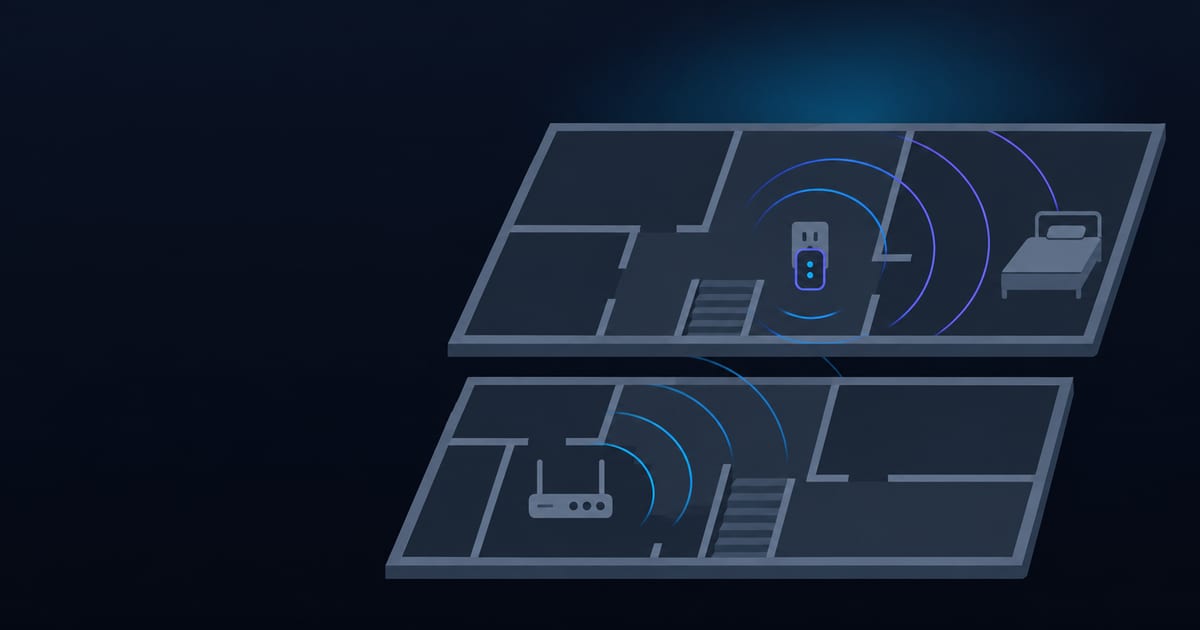
Placement is the cheap half of this. TP-Link says an extender “plugs into an outlet between your router and the dead zone,” and that a hallway or stairwell can “bridge the gap.”[1] My version is blunter.
An extender sitting in the dead zone can only rebroadcast the weak signal it hears there, so it gives you a louder version of a bad connection. Put it where the router is still strong. If you cannot find that spot, you are shopping for mesh.
Primary sources
- 1.PrimaryTP-Link, "Wi-Fi Extender vs. Booster: A Guide to Understanding Home Wi-Fi Coverage". Vendor guide. Booster as a marketing term, the repeater same-channel definition, the roughly-half bandwidth wording, placement advice, and when to choose mesh.
- 2.PrimaryNETGEAR, "WiFi Extender vs Booster: Key Differences Explained". Vendor guide. Booster as a broad term covering extenders, repeaters and sometimes mesh; a booster improves reach, not internet bandwidth.
- 3.PrimaryNETGEAR, "WiFi Extender vs. Mesh WiFi: Which Is Right for You?". Vendor guide. The single-channel receive-and-rebroadcast design, separate network names, and one mesh node on Ethernet. The bandwidth halving is stated without a measurement.
- 4.PrimaryFCC, "Consumer Signal Boosters". What a cell phone signal booster is, and the provider approval and registration steps it requires.
- 5.PrimaryWi-Fi Alliance, "Wi-Fi CERTIFIED EasyMesh Technology Overview" (January 2024). Controller and access point roles, fronthaul versus backhaul, separate radios for each, and why Wi-Fi backhaul exists.
- 6.PrimaryWi-Fi Alliance, "Wi-Fi CERTIFIED EasyMesh delivers intelligent Wi-Fi networks". May 14, 2018. The original EasyMesh certification announcement. It makes vendor claims about seamless roaming and gives no test data.
- 7.PrimaryXfinity, "Use Bridge Mode on your wireless gateway". What bridge mode switches off, including managing the network and using WiFi extenders.
- 8.PrimaryXfinity, "Benefits of renting an Xfinity Gateway". Xfinity WiFi Extenders designed to work with its gateway.
Frequently asked questions
- Is there a difference between a WiFi extender and a WiFi booster?
- In practice, no. Booster is an informal marketing term, not an official product category, and most products sold as boosters are extenders that pick up your router's signal and rebroadcast it. The differences that matter are how the device connects back to your router and whether it uses a separate network name.
- What is the difference between a WiFi extender and a repeater?
- A repeater rebroadcasts the signal on the same channel it received it on, while a better extender uses a dedicated band for the connection to the router. That matters because a single-channel device spends its airtime receiving and re-sending, and TP-Link says a repeater can cut the available bandwidth roughly in half. Many vendors use the two words interchangeably.
- Do WiFi extenders cut your speed in half?
- Single-channel extenders can, but dedicated-backhaul models largely avoid it. NETGEAR says traditional dual-band extenders use one channel to receive and rebroadcast, which may reduce available bandwidth by half. Neither vendor publishes a measured figure for it, so treat half as a worst case. Your internet plan speed is unchanged; only the WiFi link through the extender slows.
- Is mesh WiFi better than an extender?
- Mesh is better when coverage problems span multiple rooms or floors, and an extender is likely all you need for one or two dead zones. A mesh system replaces your router and shares one network name across its nodes, and nodes can link to each other over WiFi or Ethernet. It costs more than an extender.
- Is a WiFi booster the same as a cell phone signal booster?
- No. A cell phone signal booster improves cellular coverage inside a home, car or boat, and the FCC requires you to get your wireless provider's approval and register the booster with that provider. A WiFi booster is a home networking device that rebroadcasts your router's signal and has no such process.
- Where should you place a WiFi extender?
- Between your router and the dead zone, in a spot where the extender still gets a good signal from the router. TP-Link advises plugging it into an outlet between the router and the dead zone. An extender placed inside the dead zone can only rebroadcast the weak signal it receives there.
Written by
Tech Talk News Editorial
Computer engineering background. Writes about software, AI, markets, and real estate, and the places where the three meet.
More about the author