
Modem vs Router: One Connects You, One Shares the Connection
A modem connects your home to your internet provider. A router shares that one connection with every phone, laptop and TV you own. Providers usually rent you one box that does both, which is why the two get confused, and why bridge mode and double NAT exist.
Key takeaways
- A modem connects your home to your internet provider's network, and a router connects your wired and wireless devices to the modem; Xfinity's support pages define the two roles in exactly those terms.
- A router does two jobs a modem does not: it hands out private addresses with DHCP (Dynamic Host Configuration Protocol), and it uses NAT (network address translation) to share one public address among all of them.
- RFC 1918 reserves exactly three private address blocks, 10.0.0.0/8, 172.16.0.0/12 and 192.168.0.0/16, which is why home devices carry addresses that start with 192.168 or 10.
- Current DOCSIS 3.1 cable modems support up to 5 Gbps downstream and 1.5 Gbps upstream, according to CableLabs, so a plan well under 5 Gbps will not be limited by the modem.
- Running your own router behind a gateway that still routes stacks two layers of NAT; Xfinity's fix is bridge mode, which switches off the gateway's routing and leaves only the modem.
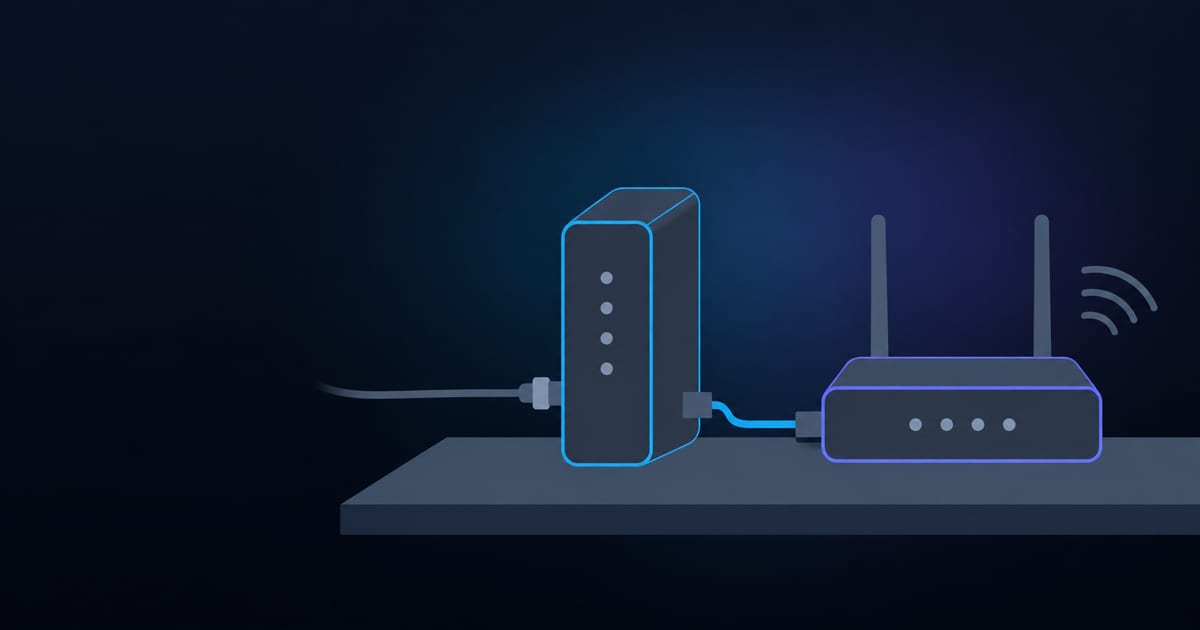
A modem connects your home to your internet provider. A router connects your phones, laptops and TVs to that modem, and to each other. That is the whole difference, and it is also why people mix them up: the box your provider rents you is usually both at once.[1]
Xfinity's support pages, to take one provider, say it in one line each.
A modem “connects your home to an Internet Service Provider's network.” A router “connects your wired and wireless devices to your modem.”[2] Everything below is about what hides inside those two sentences, and why the split decides which box you replace when something breaks.
The modem translates, and only the modem has to match your provider
Your provider delivers internet over a physical line, and that line does not speak Ethernet. On cable it is a signal over coax. On fiber it is light. The modem is the translator at the end of the line.
On fiber the device is called an optical network terminal (ONT), and Verizon's own FAQ describes it as converting “the light signal from the fiber network” into digital data that your router then passes on to your devices.[3]
Pedants will tell you an ONT isn't technically a modem. For buying decisions it plays the same role, so I'll keep calling it one.
Where the line ends
The modem turns your provider's signal into a plain network connection.
What your provider sends
- CableA signal carried over coaxial cable
- FiberLight, ended by an optical network terminal
- DSLA signal carried over a phone line
Modem
Must match your provider and your plan speed
What comes out
- One Ethernet connectionPlugs into a router
- One address from your providerPublic, and shared by everything behind it
The modem is the one part of your setup that has to be approved for your provider's network.
That last point matters more than it sounds. When you use your own equipment, Xfinity says “your modem must work with Xfinity and support your internet speed,” and that most modems need a separate router to provide Wi-Fi.[4] The modem is the part your provider cares about. The router is the part you get to choose.
The router gives every device an address, then hides them all behind one
Your provider gives you one public address. You own a dozen devices. The router closes that gap with two tricks, and neither one is something a modem does.
The first is DHCP, the Dynamic Host Configuration Protocol. When a phone joins your Wi-Fi it asks the network who it should be, and the router answers with an address and the rest of its configuration, which usually includes which DNS server to ask for names.
The protocol behind that is RFC 2131 from March 1997, described in its abstract as “a framework for passing configuration information to hosts on a TCPIP network.”[5] The addresses it hands out come from ranges reserved for private use.
RFC 1918 sets aside exactly three blocks: 10.0.0.0 to 10.255.255.255, 172.16.0.0 to 172.31.255.255, and 192.168.0.0 to 192.168.255.255.[6] If your laptop says 192.168.1.23, that is a private address that means nothing on the open internet.
The second trick is network address translation (NAT).
RFC 3022 describes its common form, NAPT, as a method by which “many network addresses and their TCP/UDP ports are translated into a single network address.”[7] In plain terms, the router puts a label on every outgoing request, remembers which device sent it, and sends the answer back to the right place.
To the internet your whole house looks like one device. The name lookup that happens before any of this traffic starts is a separate job, which our explainer on DNS covers.
What the router adds
The router shares one connection and gives each device its own private address.
From the modem
- One Ethernet connection
- One public addressAssigned by your provider
Router
DHCP hands out addresses, NAT translates them, Wi-Fi carries them
To your home
- PhoneA 192.168.x.x or 10.x.x.x address
- LaptopSame range, its own number
- TV and smart speakerSame range, its own number
The address ranges come from the three private blocks reserved by RFC 1918.
Takeaway
The modem has to agree with your provider. The router has to agree with your devices. When you swap a box, ask which of those two agreements is the one that broke.
Your provider rents you both in one box, and that is the real source of the confusion
Xfinity calls the combined unit a gateway: it “combine[s] the technology of an Internet/Voice modem and WiFi router neatly in one piece of equipment.”[1] You can also use your own modem, router or gateway instead.[4] I understand why providers do this. One box means one support call.
It also means one rental line on your bill, and the FCC's broadband label rules treat that as a fee worth naming. Provider Monthly Fees include “a modem rental,” and each one “must be listed out and described on the label.”[8] Look at your own bill.
If a modem or gateway rental is on it, divide the price of a compatible modem by that monthly fee and you know how fast buying pays off.
“A gateway isn't a third kind of device. It's a modem and a router that share a power cord.”
Three setups cover almost every home. The catch column is where most people lose an afternoon.
| Setup | What does the routing | Best for | The catch |
|---|---|---|---|
| Provider gateway | The gateway | Least effort, one support number | You rent it, and you take the Wi-Fi it ships with |
| Your modem plus your router | Your router | Choosing Wi-Fi hardware, ending the rental | The modem must be approved for your provider and speed |
| Gateway in bridge mode plus your router | Your router | Keeping the provider box but using better Wi-Fi | The gateway's own WiFi and extender feature go off |
Bridge mode stops two routers from fighting over one network
Here is the failure the third row exists to prevent.
Say you buy a good router and plug it into your provider's gateway, which is still routing. Now two devices are each running NAT in a row. Your router sits on a private network inside the gateway's private network, and a request from outside has to be translated twice to reach anything.
My read of the mechanism, and it is a read, not a claim from a source: anything that depends on unsolicited inbound traffic, like a game host or a camera feed, now needs a rule on both layers. Port forwarding set on the inner router alone does nothing, because the outer one has no idea where the traffic should go.
Bridge mode removes the second layer. Xfinity's own page says it turns off the gateway's routing “while leaving the modem capabilities on,” so you can connect and use your own router.[2]
The same page lists what it costs. Only one device can connect to the gateway while it is bridged. You lose the ability to manage and personalize the network or use WiFi extenders. And the gateway's private WiFi network is switched off.[2]
Side note
A modem is almost never the bottleneck, but check it once
Modems have ceilings. CableLabs, the cable industry's research and standards body, says current DOCSIS 3.1 cable modems support up to 5 Gbps downstream and 1.5 Gbps upstream, and that DOCSIS 4.0 modems are specified for up to 10 Gbps downstream and 6 Gbps upstream.[9]
DOCSIS is the Data Over Cable Service Interface Specification, the standard that cable modems follow. Unless your plan is near those numbers, the modem is not what is holding you back. Wi-Fi usually is.
So here is the test I would run before spending a dollar. Plug one computer into the router with an Ethernet cable and run a speed test, then run it again over Wi-Fi from the room that annoys you.
If the cable result matches your plan and Wi-Fi does not, the fix is a better router or a mesh system, and our guide to extenders, boosters and mesh walks through that choice. If the cable result is also low, the problem is the modem, the line or the provider.
Our posts on why upload is slower than download and latency versus bandwidth explain what a speed test measures. And if you want to know what that cable does in the middle, we cover it in what an Ethernet cable does.
If the router is the weak link and you are shopping, the next question is which Wi-Fi generation to pay for, and Wi-Fi 6 versus 6E is the comparison to read. And when the router is fine but pages will not load, the cause is often a name lookup, not the box, which is what DNS server not responding covers.
Replace the router first, the modem second
My rule is short. If Wi-Fi is the complaint, replace the router, since that is the half you control and the half that ages fastest. If a wired computer cannot reach your plan speed, check the modem against the ceilings above and call the provider before buying anything.
And if you are paying a rental fee for a box you could own, do the arithmetic once. The fee is itemized on your bill for a reason.
Primary sources
- 1.PrimaryXfinity, "Benefits of renting an Xfinity Gateway". Gateways combine the technology of an Internet/Voice modem and WiFi router in one piece of equipment.
- 2.PrimaryXfinity, "Use Bridge Mode on your wireless gateway". Definitions of modem and router, what bridge mode switches off, and its trade-offs (one connected device, no WiFi extenders, private WiFi off).
- 3.PrimaryVerizon, "Fiber Optic Internet FAQ". The ONT converts the light signal from the fiber network into digital data for the router.
- 4.PrimaryXfinity, "Using your own modem, router, or gateway with Xfinity". Own-equipment rules: the modem must work with Xfinity and support your speed, and most modems need a separate router for Wi-Fi.
- 5.PrimaryIETF, RFC 2131, "Dynamic Host Configuration Protocol". March 1997. The DHCP specification that routers use to configure every device on the home network.
- 6.PrimaryIETF, RFC 1918, "Address Allocation for Private Internets". February 1996. The three private address blocks: 10/8, 172.16/12 and 192.168/16.
- 7.PrimaryIETF, RFC 3022, "Traditional IP Network Address Translator". January 2001. Defines Basic NAT and NAPT, the translation a home router performs.
- 8.PrimaryFCC, "Glossary of Terms Used for Consumer Broadband Labels". Provider Monthly Fees, such as a modem rental, must be listed out and described on the label.
- 9.PrimaryCableLabs, "DOCSIS 4.0 Technology". FAQ figures for current DOCSIS 3.1 modems (5 Gbps down, 1.5 Gbps up) and DOCSIS 4.0 (10 Gbps down, 6 Gbps up). The same page lists the DOCSIS 3.1 specification ceiling at 10 Gbps downstream, so 5 Gbps is the current-modem number.
Frequently asked questions
- Is a modem the same as a router?
- No. A modem connects your home to your internet provider's network, and a router connects your devices to the modem and to each other. The modem speaks the provider's language (a cable, fiber or phone-line signal), and the router speaks your home network's language (private addresses and Wi-Fi). Many providers rent one box that does both jobs, called a gateway, which is why people treat them as one thing.
- Do I need both a modem and a router?
- Yes, you need both functions, but not necessarily two boxes. A combined gateway contains a modem and a router in one case. Most modems need a separate router to provide Wi-Fi, so if you buy your own modem you buy a router too.
- Can I use a router without a modem?
- Not to reach the internet. A router has nothing to forward traffic to until something converts your provider's signal into Ethernet. On fiber, the optical network terminal (ONT) does that job, converting the light signal into digital data for the router. A router alone still works as a local network with no internet.
- What does bridge mode do?
- Bridge mode turns off a gateway's routing and leaves its modem running, so your own router can handle the home network. On an Xfinity gateway, bridge mode also turns off the gateway's private WiFi network, limits it to one connected device, and disables WiFi extenders. You use it to avoid double NAT, where two routers each translate addresses in a row.
- Which device makes Wi-Fi, the modem or the router?
- The router makes Wi-Fi. A plain modem has no Wi-Fi radio. If your provider gave you a gateway, the Wi-Fi comes from the router half of that box. If Wi-Fi is slow or dead in one room, the router (or a mesh or extender system) is the part to change, not the modem.
- Can a modem limit my internet speed?
- Yes, if its ceiling is below your plan. CableLabs says current DOCSIS 3.1 cable modems support up to 5 Gbps downstream and 1.5 Gbps upstream, and DOCSIS 4.0 modems are specified for up to 10 Gbps downstream and 6 Gbps upstream. Xfinity also requires that your own modem works with its network and supports your internet speed.
Written by
Tech Talk News Editorial
Computer engineering background. Writes about software, AI, markets, and real estate, and the places where the three meet.
More about the author